
Best Video Editing Controllers That Transform Your Workflow and Save You Hours
What if you could cut your editing time in half… without upgrading your computer or learning complex new software?
For most creators, the biggest bottleneck isn’t creativity—it’s control. Constant clicking, dragging timelines, adjusting sliders, and switching tools slows everything down. That’s where video editing controllers, macro keypads, and creative consoles come in. These devices are designed to streamline your workflow, reduce repetitive actions, and give you precision control over your editing process.
In this breakdown, we’re looking at some of the most powerful and practical editing controllers for content creators, video editors, designers, and digital artists. Whether you’re working in Adobe Premiere Pro, DaVinci Resolve, Photoshop, or even Procreate, these tools can completely change how you create.
If you find value in this article, consider subscribing at the end for more deep dives into tools that help you work faster and smarter.
TourBox Elite Plus – The Ultimate All-in-One Creative Console
CLICK IMAGE TO BUY ON AMAZON
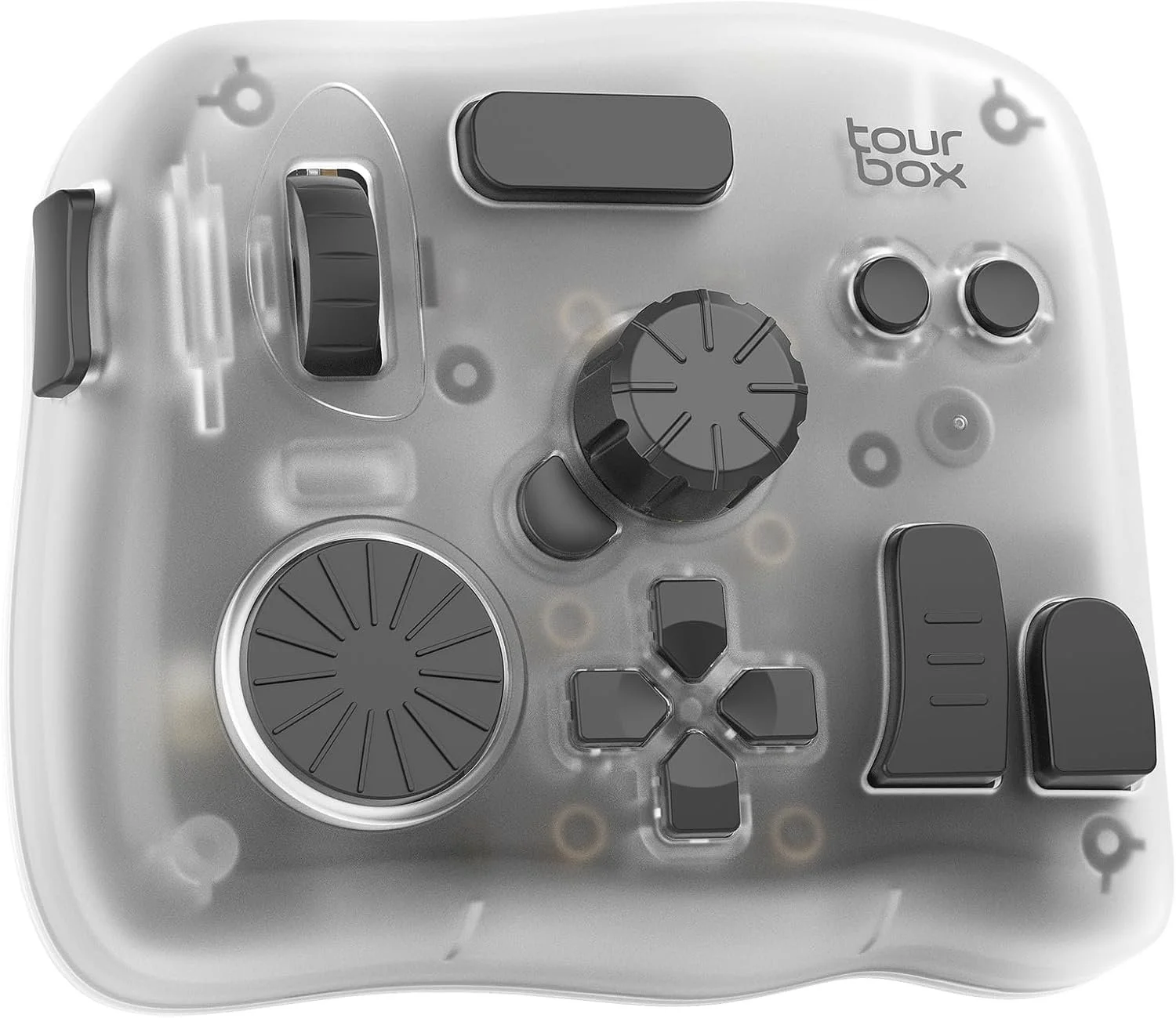
If there’s one device that truly redefines what a video editing controller can do, it’s the TourBox Elite Plus. This isn’t just a macro pad—it’s a full creative control system designed to replace your reliance on keyboard shortcuts and mouse-heavy workflows.
The first thing that stands out is its multi-platform compatibility, working seamlessly across iPadOS, macOS, and Windows. That flexibility alone makes it one of the most versatile tools available, especially for creators who switch between desktop editing and tablet-based illustration or video work.
What really sets the TourBox Elite Plus apart is its tactile control system. Instead of tapping keys, you’re using dials, knobs, and buttons that feel intuitive and responsive. Adjusting color grading, scrubbing through timelines, or zooming into your canvas becomes fluid and natural. This is where the device starts to feel less like a tool and more like an extension of your workflow.
Its deep software integration with Adobe Photoshop, Premiere Pro, Lightroom, Final Cut Pro, DaVinci Resolve, and Procreate means you’re not just mapping shortcuts—you’re unlocking optimized workflows. The built-in presets allow beginners to get started immediately, while advanced users can create complex macros and layered commands.
Another standout feature is its ergonomic design, which reduces hand movement significantly. For long editing sessions, this isn’t just a convenience—it’s a major advantage. Less strain means longer creative sessions without fatigue.
The TourBox Elite Plus is ideal for creators who want maximum control, precision, and efficiency in one device. It’s not the cheapest option, but for serious editors and artists, it’s easily one of the most powerful upgrades you can make.
Elgato Stream Deck MK.2 – The Creator’s Control Hub
CLICK IMAGE TO BUY ON AMAZON
The Elgato Stream Deck MK.2 has become a staple in the creator world, and for good reason. It offers a completely different approach compared to dial-based controllers like the TourBox.
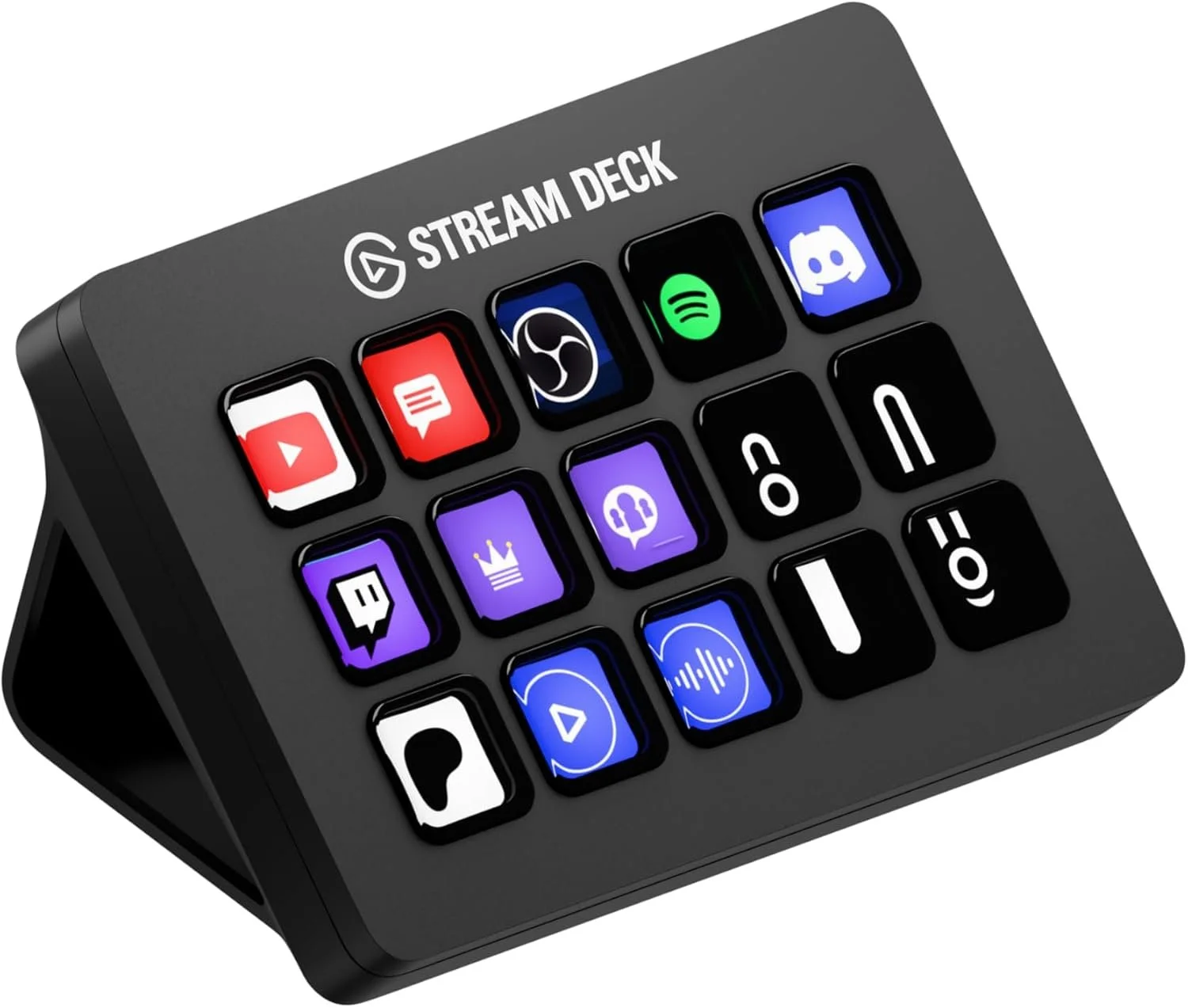
Instead of knobs and dials, you get 15 customizable LCD keys, each capable of triggering single actions or complex multi-step workflows. This makes it perfect for creators who juggle multiple tasks—editing, streaming, content publishing, and automation.
One of its biggest strengths is its visual feedback system. Each key displays an icon, so you always know what action you’re triggering. This eliminates guesswork and helps build muscle memory quickly.
The real power of the Stream Deck comes from its plugin ecosystem. Whether you’re using OBS, Twitch, YouTube, Discord, Spotify, or smart lighting systems, you can control everything from one interface. For video editors, this means faster access to shortcuts, timeline controls, and even automated sequences.
It’s also highly customizable in terms of design. You can swap faceplates, create custom icons, and organize your layout to match your workflow perfectly.
While it doesn’t offer the same analog precision as a dial-based controller, the Stream Deck excels in workflow automation and multitasking efficiency. It’s especially useful for creators who combine editing with streaming or live production.
Logitech MX Creative Console – Precision Meets Simplicity
CLICK IMAGE TO BUY ON AMAZON
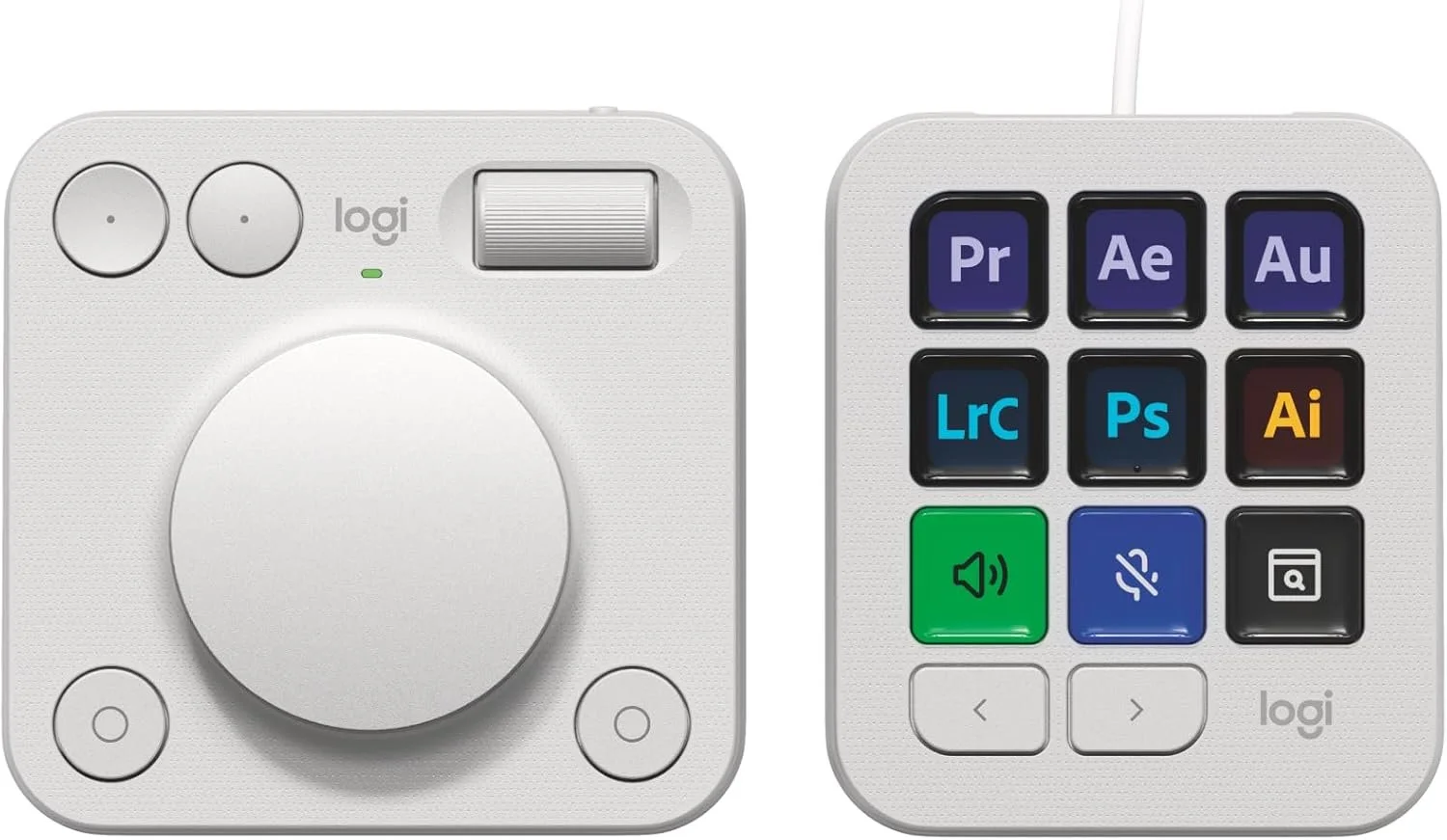
The Logitech MX Creative Console brings a more refined, minimalist approach to creative control. It blends the functionality of macro keys with a precision control dial, offering a balanced workflow for both editing and design tasks.
One of its standout features is the Actions Ring, an on-screen overlay that expands your control options without cluttering your physical workspace. This creates a seamless connection between hardware and software, allowing you to access tools exactly where you need them.
The console integrates smoothly with popular applications like Adobe Photoshop, Premiere Pro, Illustrator, Final Cut Pro, and DaVinci Resolve. Logitech also provides recommended profiles, making it easy for beginners to get started without spending hours on setup.
The low-friction control dial is particularly useful for fine adjustments like color grading, brush sizing, and timeline navigation. Combined with programmable keys and customizable profiles, it offers a flexible workflow that adapts to different creative tasks.
Another advantage is its clean design and wireless capability, making it ideal for modern workspaces. The long battery life ensures that it remains reliable during extended sessions.
The MX Creative Console is best suited for creators who want a sleek, efficient, and intuitive control system without the complexity of more advanced devices.
ULANZI D200X – The All-in-One Creator Power Station
CLICK IMAGE TO BUY ON AMAZON
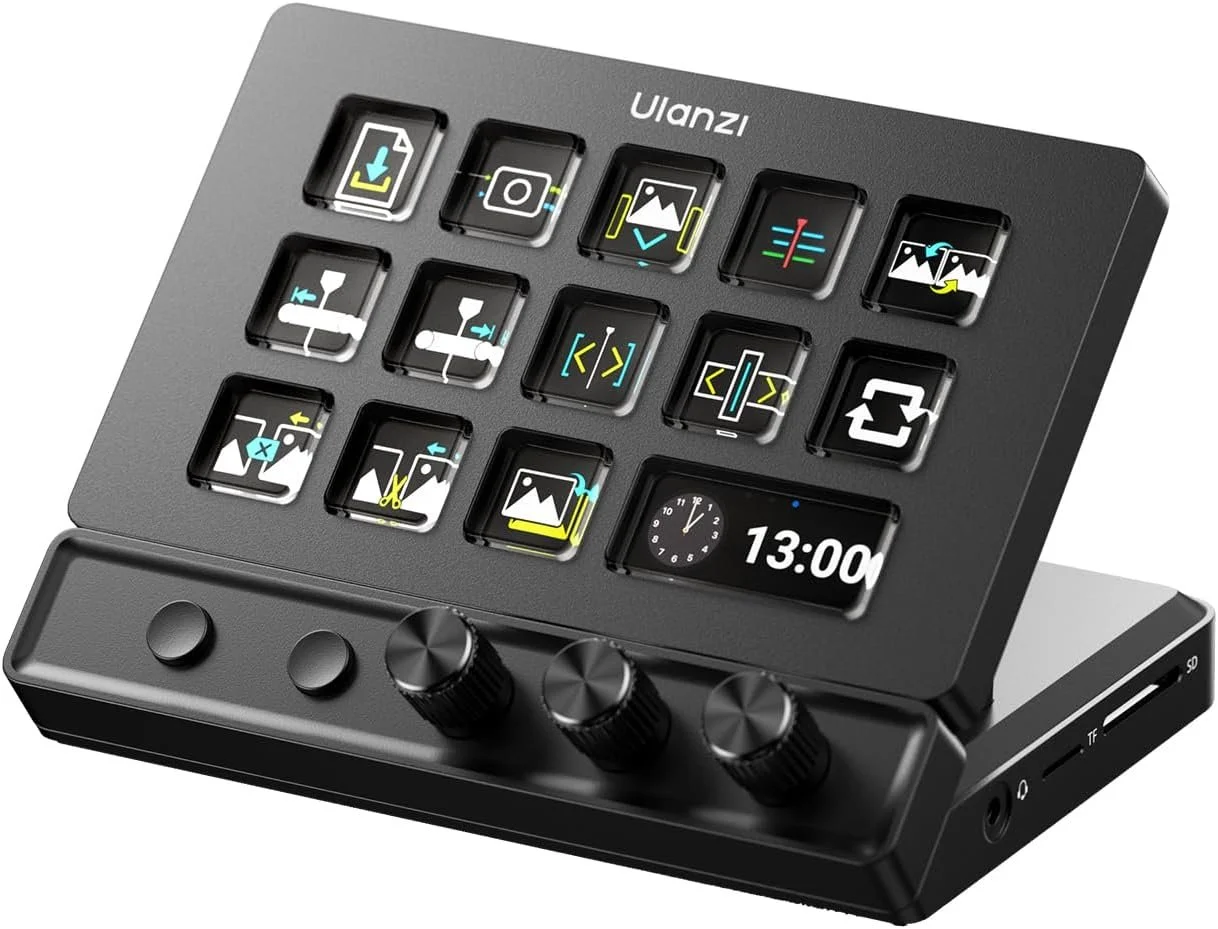
The ULANZI D200X is more than just a macro controller—it’s a full content creation hub. Combining 14 customizable LCD keys with 3 precision knobs and an integrated USB-C hub, this device is designed to simplify your entire setup.
What makes it unique is its dual-dimensional control system. The combination of buttons and knobs allows for both quick actions and precise adjustments, making it ideal for video editing, streaming, and photo editing.
The built-in 8-in-1 USB-C hub is a major advantage. With HDMI output, fast data transfer, SD card support, and power delivery, it reduces cable clutter and turns your desk into a streamlined workstation.
In terms of performance, the D200X supports one-touch macro execution across multiple software platforms, including Premiere Pro, Final Cut Pro, DaVinci Resolve, and CapCut. Its compatibility with over 100 applications makes it incredibly versatile.
The device also offers online and offline modes, allowing you to use it instantly or dive deeper into customization with Ulanzi’s software. This flexibility makes it accessible for beginners while still offering advanced features for professionals.
With its durable aluminum build and multi-functional design, the ULANZI D200X is perfect for creators who want maximum functionality in a single device.
XP-Pen Mini Keydial ACK05 – Compact Power for Creators on the Move
CLICK IMAGE TO BUY ON AMAZON
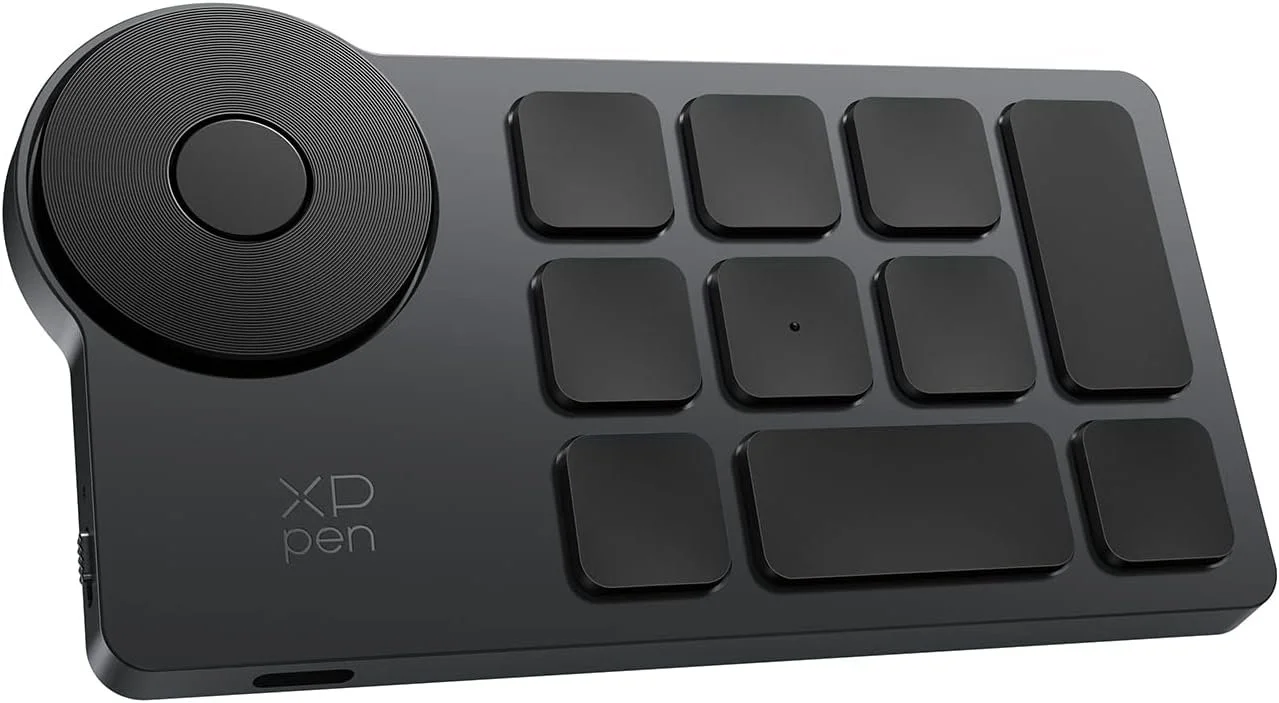
For creators who need something lightweight and portable, the XP-Pen Mini Keydial ACK05 delivers impressive functionality in a compact form.
Despite its small size, it offers 10 programmable keys with up to 40 customizable shortcuts, making it a powerful tool for editing, drawing, and general productivity. The addition of a precision dial allows for smooth adjustments, whether you’re zooming, rotating, or fine-tuning parameters.
Its Bluetooth connectivity provides a clean, wireless workspace, while the long-lasting battery ensures reliability throughout extended sessions.
One of its standout features is its anti-ghosting technology, which allows multiple key inputs simultaneously. This opens up more complex shortcut combinations and improves workflow efficiency.
The ergonomic design, including a tactile center marker, makes it easy to use without constantly looking down. This is especially useful for artists and editors who rely on muscle memory.
The XP-Pen Mini Keydial is ideal for creators who want a portable, affordable, and efficient shortcut controller without sacrificing performance.
ULANZI D100H – Precision Control for Beginners and Professionals
CLICK IMAGE TO BUY ON AMAZON
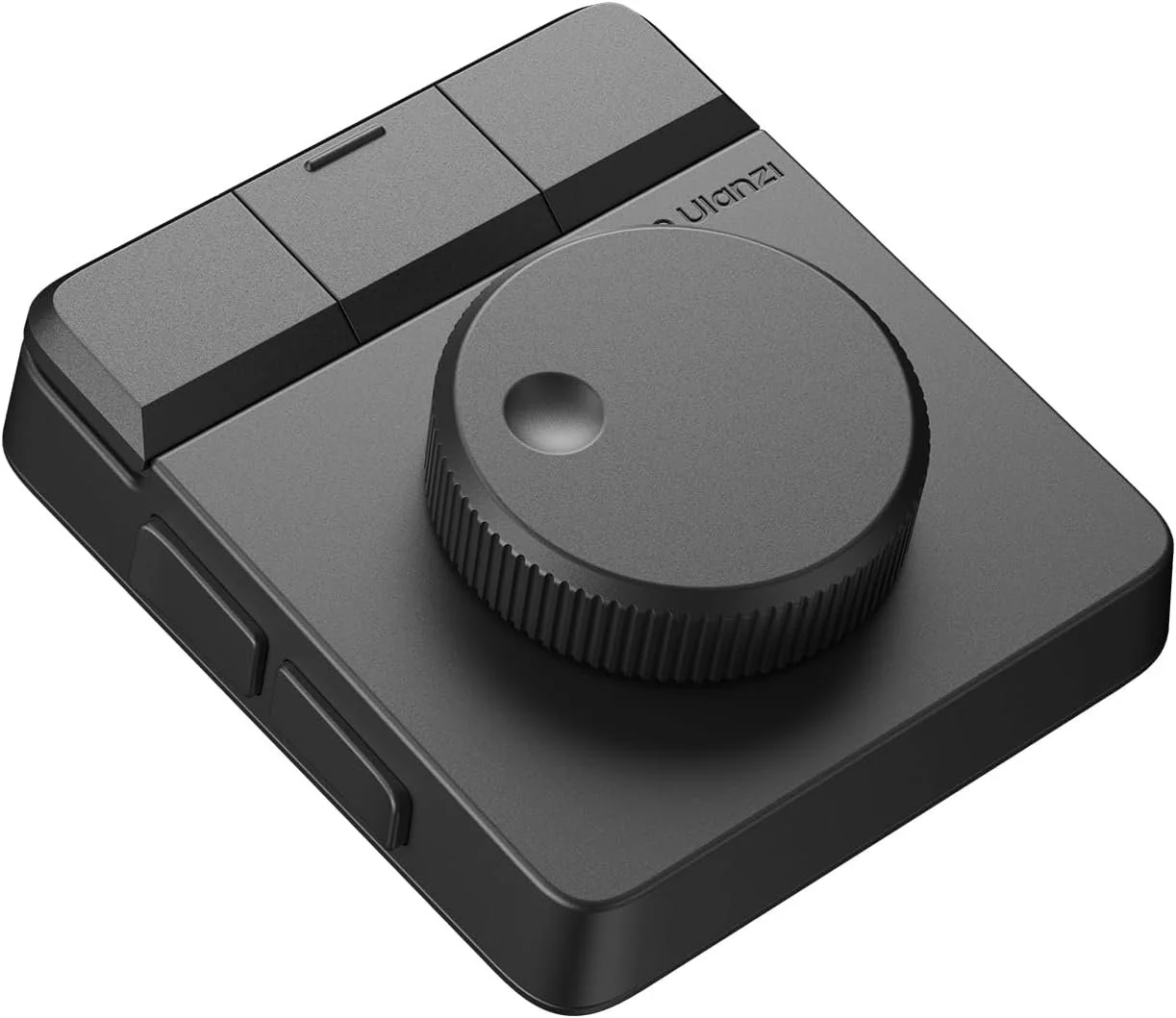
The ULANZI D100H focuses on simplicity and precision, making it an excellent entry point for creators looking to improve their workflow.
With 7 customizable buttons and a tactile feedback dial, it offers a straightforward yet effective way to control editing parameters. The vibration feedback adds a layer of responsiveness that enhances the overall user experience.
Its compatibility with major software like CapCut, DaVinci Resolve, Final Cut Pro, and Adobe Photoshop makes it a versatile tool for both video and photo editing.
The device supports dual working modes, allowing you to use it instantly or customize it further through software. This makes it accessible for beginners while still offering room for growth.
The Bluetooth connectivity and multi-device support add convenience, especially for users working across different platforms.
While it doesn’t have the extensive features of larger controllers, the D100H excels in ease of use, portability, and precision, making it a solid choice for creators at any level.
Final Thoughts – Which Editing Controller Is Right for You?
Choosing the right video editing controller or macro keypad depends on how you create and what you value most in your workflow.
If you want the most advanced and immersive control experience, the TourBox Elite Plus stands out as a top-tier option. For creators focused on automation and multi-tasking, the Elgato Stream Deck MK.2 offers unmatched flexibility. If you prefer a clean, minimalist setup with precise control, the Logitech MX Creative Console is a strong contender.
For those looking to combine functionality with workspace efficiency, the ULANZI D200X delivers an all-in-one solution. Meanwhile, the XP-Pen Mini Keydial and ULANZI D100H provide compact, accessible options for creators who want to improve their workflow without overcomplicating their setup.
No matter which device you choose, one thing is clear: upgrading your control system can significantly improve your speed, precision, and overall creative experience.
If you found this breakdown helpful and want more insights into tools that can level up your content creation, consider subscribing and exploring more in-depth reviews.
