
Best Laptop Docking Stations of 2026: Top Thunderbolt & USB-C Docks for Mac and PC Power Users
If your desk still looks like a mess of cables every time you sit down to work, you’re not alone—and more importantly, you don’t have to stay stuck there. In 2026, the best laptop docking stations are designed to transform your entire workflow with a single connection, turning your MacBook or Windows laptop into a fully powered workstation in seconds. From dual 4K displays to ultra-fast data transfer and high-wattage charging, these devices are no longer accessories—they’re productivity engines.
In this article, we’re breaking down six of the best and most relevant docking stations available right now, focusing on real-world performance, connectivity, and usability for creators, professionals, and everyday users. If you find value in this breakdown and want more in-depth tech reviews like this, consider subscribing at the end.

CLICK IMAGE TO BUY ON AMAZON
The CalDigit TS3 Plus Thunderbolt 3 Dock continues to hold its reputation as one of the most reliable and powerful docking stations for Mac and PC users, even as newer models enter the market. What makes this dock stand out immediately is its balance between sheer connectivity and stable performance. With 15 ports packed into a compact aluminum body, it delivers everything a power user could want without feeling overwhelming.
This Thunderbolt 3 docking station offers dual 4K display support at 60Hz or even a single 5K display, making it ideal for video editors, designers, and multitaskers who rely on multiple screens. The inclusion of a UHS-II SD card slot with speeds up to 312MB/s is especially valuable for content creators working with large video files or high-resolution photography. Transfers that used to take minutes now happen in seconds, which significantly improves workflow efficiency.
Charging is another strong point. The TS3 Plus delivers up to 87W of power, which is more than enough to keep most MacBooks and high-performance laptops fully charged while powering connected peripherals. Its dual Thunderbolt ports also allow for daisy-chaining additional devices, which adds flexibility for expanding your setup over time. The fanless aluminum design ensures silent operation while acting as a heat sink, maintaining performance stability even during heavy use.
Overall, the CalDigit TS3 Plus remains a top-tier choice for users who want a dependable, high-performance docking station that can handle professional workloads without compromise.
CLICK IMAGE TO BUY ON AMAZON
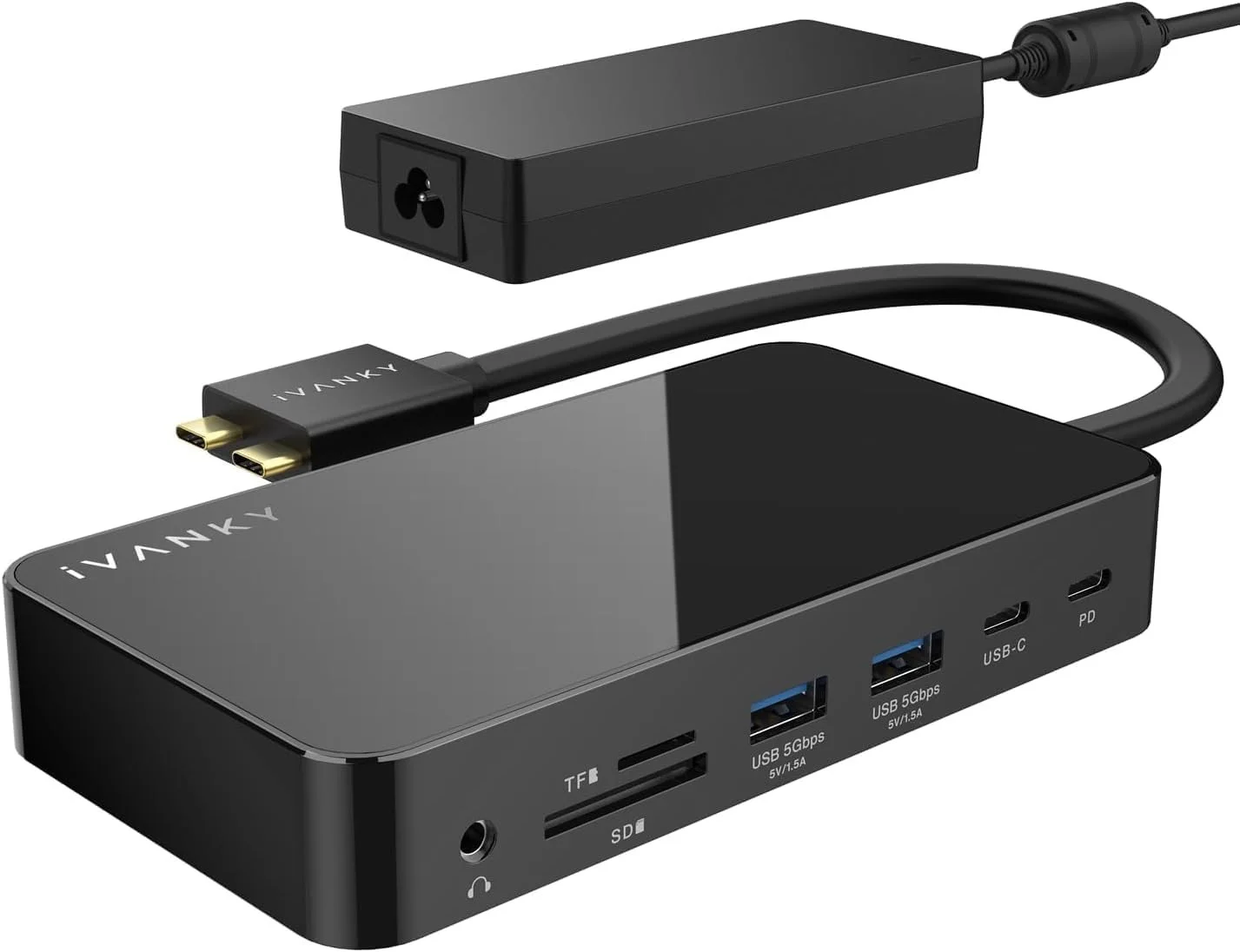
The iVANKY FusionDock 1 is a newer contender that’s quickly gaining attention, particularly among MacBook users looking for high refresh rate display support and a clean plug-and-play experience. This dock is designed with modern Apple silicon in mind, especially for M4 and M5 MacBooks, where it unlocks dual 4K displays at an impressive 144Hz.
That high refresh rate capability is a major differentiator. While most docking stations still focus on 60Hz output, the FusionDock 1 caters to users who want smoother visuals, whether for creative work, gaming, or simply a more fluid desktop experience. However, it’s important to understand the limitations of base M1, M2, and M3 MacBooks, which only support a single external display due to chip constraints. This dock doesn’t bypass that limitation, but it maximizes performance for supported models.
The included 150W power adapter ensures stable performance across all connected devices while delivering up to 96W charging to your laptop. This makes it a strong option for users running multiple peripherals simultaneously. With USB 3.0 ports offering 5Gbps data transfer, along with SD/TF card slots and Gigabit Ethernet, it covers all the essentials for a productive workstation.
For users invested in newer MacBook models and looking for a future-ready docking station with high refresh rate support, the iVANKY FusionDock 1 stands out as a forward-thinking option.
CLICK IMAGE TO BUY ON AMAZON
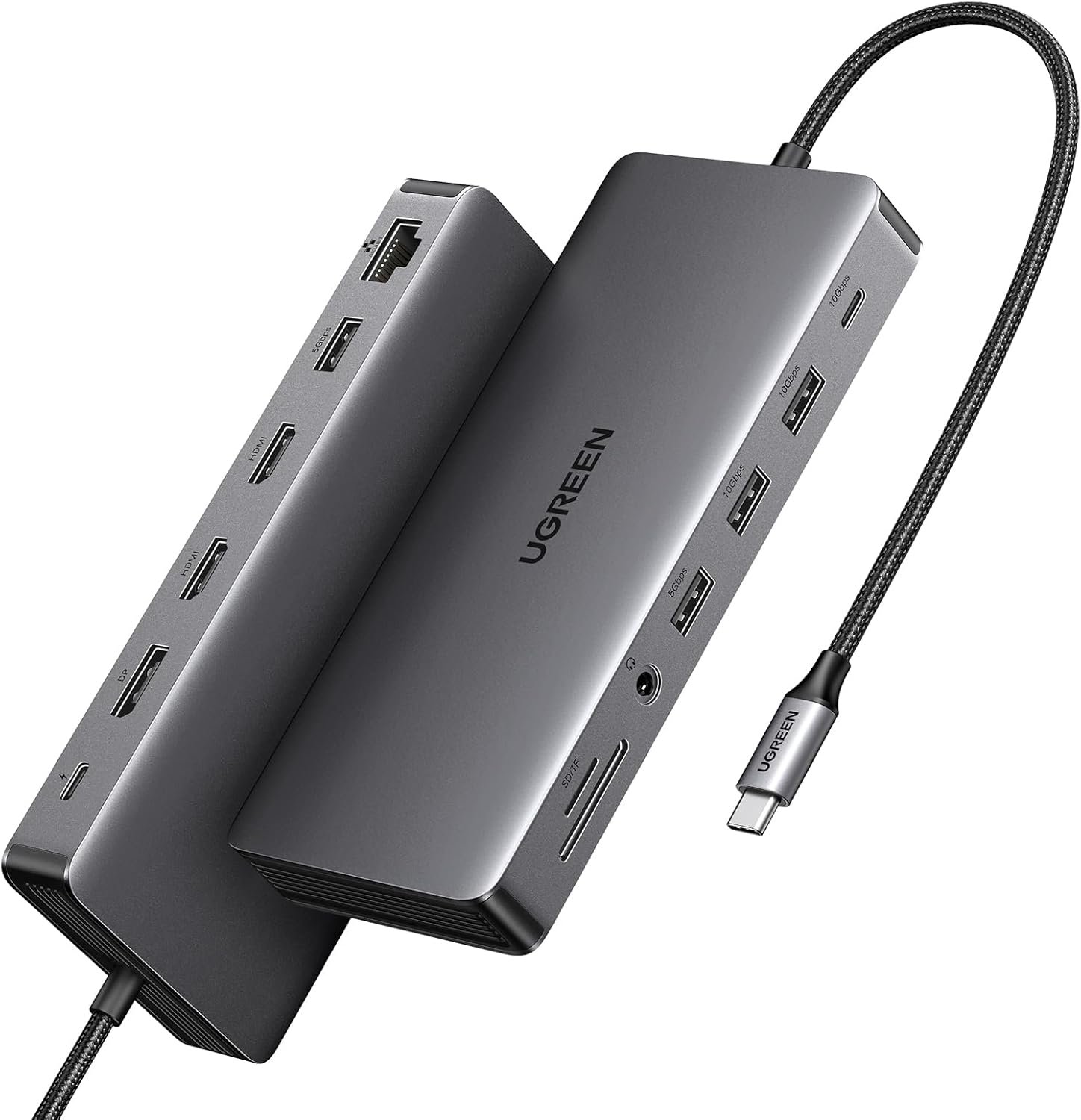
The UGREEN Revodok Pro 313 brings a compelling mix of affordability and performance, making it one of the most attractive USB-C docking stations for users who want strong functionality without paying premium prices. This 13-in-1 dock is designed to unlock the full potential of a laptop’s USB-C port, offering multiple display outputs, high-speed data transfer, and reliable power delivery.
One of its key highlights is triple monitor support, which allows users to connect up to three displays. While macOS limitations mean mirrored displays on MacBooks, Windows users can fully take advantage of extended multi-screen setups. This makes it particularly appealing for professionals working in data-heavy environments or those managing multiple applications simultaneously.
The inclusion of USB 3.2 Gen 2 ports with speeds up to 10Gbps ensures fast file transfers, which is essential for modern workflows involving large media files. The 100W power delivery capability, with 85W reserved for laptop charging, keeps your system powered while maintaining stable performance across all connected devices.
With dual HDMI ports, a DisplayPort, Ethernet, and SD card readers, the UGREEN Revodok Pro 313 delivers a comprehensive solution for users who want versatility without overspending. It’s an excellent entry point into high-performance docking setups.
CLICK IMAGE TO BUY ON AMAZON
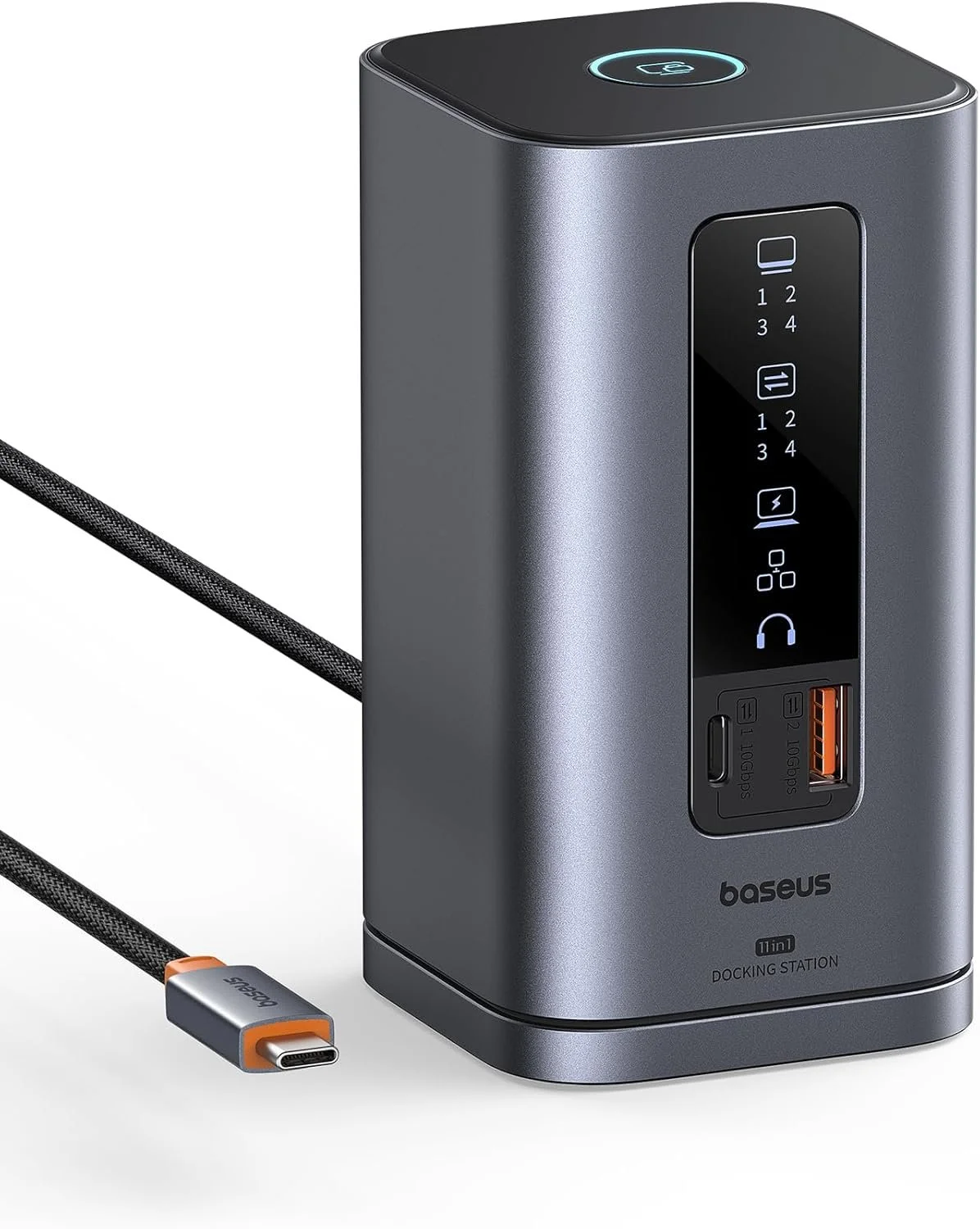
The Baseus Spacemate Docking Station takes a slightly different approach by combining strong performance with a visually modern and innovative design. This 11-in-1 docking station doesn’t just expand connectivity—it enhances the overall desk experience.
One of the standout features is its vertical design, which saves desk space while adding a sleek, professional look. The built-in LED display provides real-time information about port usage and connection status, which is a unique touch rarely seen in traditional docking stations. The addition of a screen-lock button for securing sensitive information is another thoughtful feature aimed at professionals.
Performance-wise, the Spacemate supports triple display setups on Windows systems, delivering 4K resolution across multiple screens. With USB 3.2 Gen 2 ports offering 10Gbps transfer speeds, it handles large file transfers with ease. The 100W power delivery ensures your laptop stays charged while powering external devices.
This docking station has also gained recognition from major tech outlets, which speaks to its growing popularity. For users who value both performance and design innovation, the Baseus Spacemate offers a refreshing alternative to more traditional docks.
CLICK IMAGE TO BUY ON AMAZON
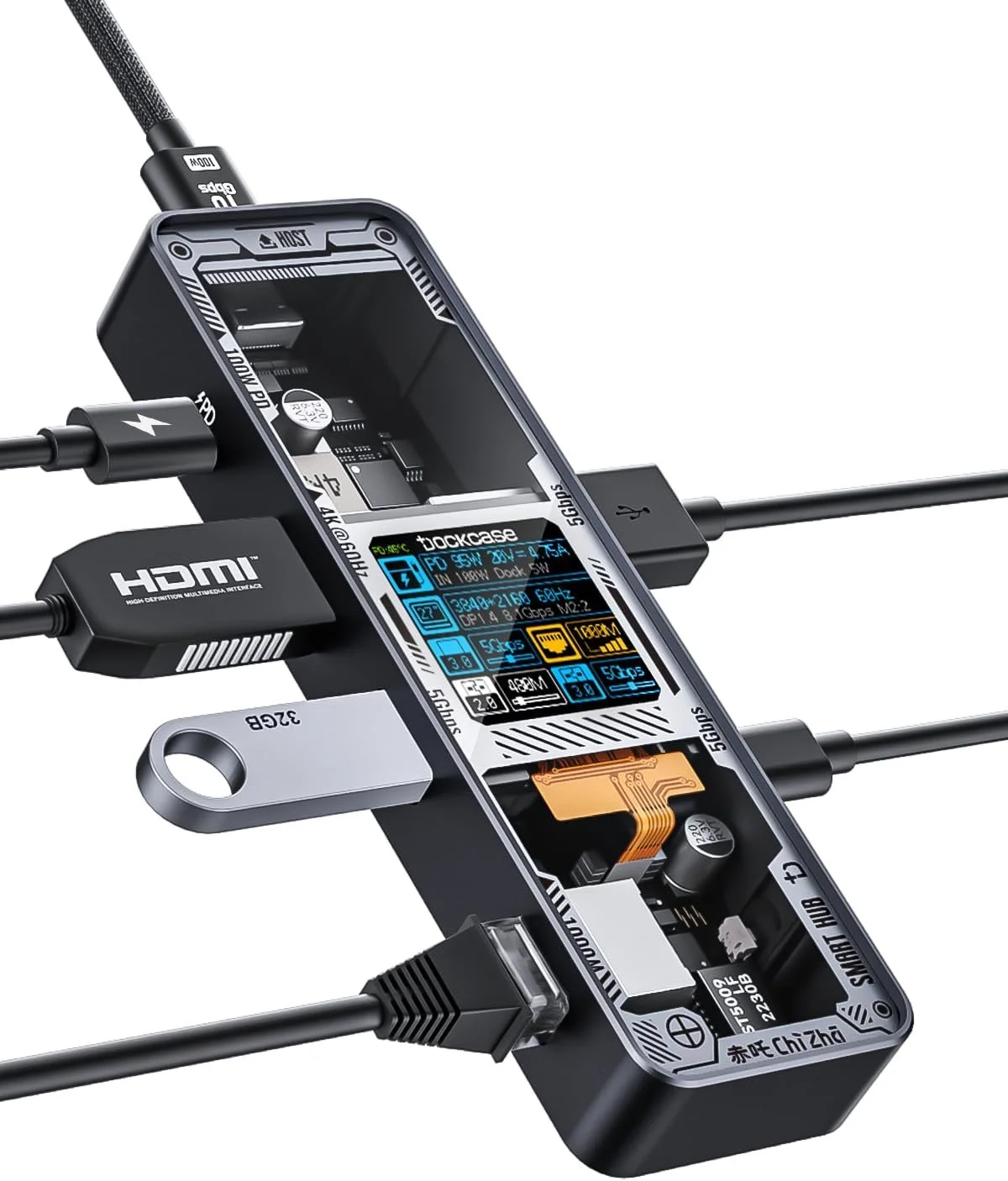
The DOCKCASE Explorer Edition Smart USB-C Hub is one of the most unique options in this lineup, focusing on intelligent features and real-time monitoring rather than just raw connectivity. This 6-in-1 hub is designed for users who want more control and visibility over their setup.
The standout feature here is the built-in smart display, which shows real-time data such as temperature and power usage. This level of transparency allows users to monitor performance and avoid overheating issues, which can be especially useful when working with high-power devices. The D-Key button adds another layer of control, enabling users to switch modes and customize functionality directly from the device.
While it doesn’t offer as many ports as larger docking stations, it covers essential connectivity needs with HDMI output supporting 4K at 60Hz, USB-A and USB-C data ports, Gigabit Ethernet, and 100W power delivery. The aluminum construction and efficient heat dissipation design ensure stable performance even during extended use.
For users who prioritize smart features, portability, and a more interactive docking experience, the DOCKCASE Explorer Edition stands out as a highly innovative choice.
CLICK IMAGE TO BUY ON AMAZON
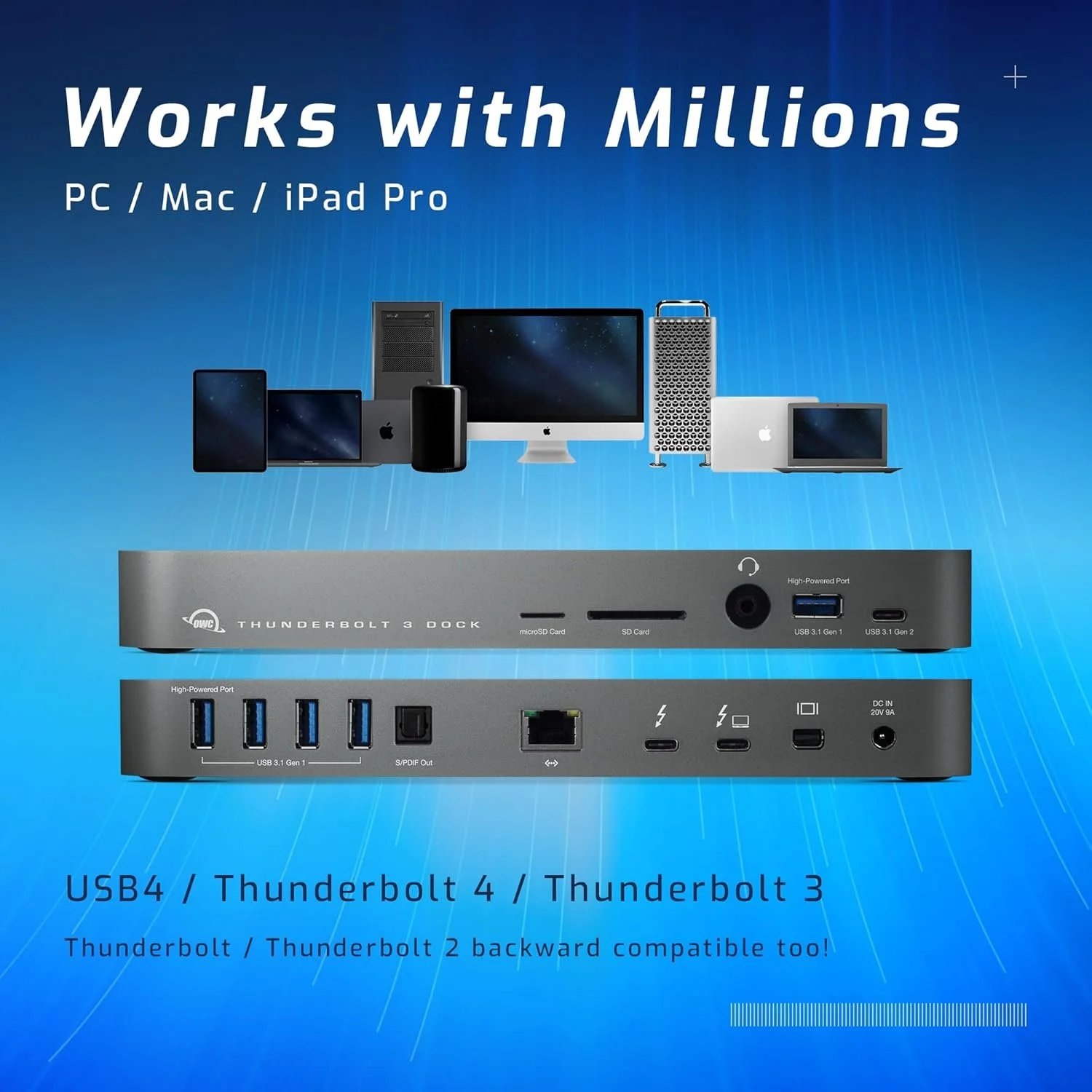
The OWC 14-Port Thunderbolt Dock is built for users who need maximum reliability and expandability in a professional environment. This dock is designed to handle demanding workflows, from video editing to software development, with consistent performance.
With support for dual 4K displays or a single 5K display, it provides the visual capabilities needed for high-end creative work. The inclusion of multiple USB ports, Thunderbolt connectivity, and a Mini DisplayPort ensures compatibility with a wide range of devices and setups. The UHS-II SD card reader with speeds up to 312MB/s further enhances its appeal for content creators.
The dock delivers up to 85W of power to your laptop, ensuring it remains charged even under heavy workloads. Its Thunderbolt certification guarantees compatibility and performance across both Mac and Windows systems, making it a versatile option for mixed-device environments.
What sets the OWC dock apart is its reliability. It’s designed to work consistently without interruptions, which is critical for professionals who can’t afford downtime. If you’re building a serious workstation and need a docking station that can keep up, this is a strong contender.
When comparing these six docking stations, it becomes clear that the best choice depends on your specific needs. The CalDigit TS3 Plus and OWC Thunderbolt Dock are ideal for professionals who require maximum performance and reliability. The iVANKY FusionDock 1 caters to users looking for high refresh rate displays and future-ready features. The UGREEN Revodok Pro 313 and Baseus Spacemate offer excellent value and versatility, while the DOCKCASE Explorer Edition introduces smart functionality and portability.
The real trend shaping this category in 2026 is the shift toward simplified, high-performance setups. Users are no longer willing to deal with multiple adapters and cables. Instead, they want a single docking station that can handle everything—from powering their laptop to connecting multiple displays and transferring data at high speeds.
If you’ve ever felt limited by your laptop’s ports or frustrated by a cluttered desk setup, upgrading to a high-quality docking station can completely change how you work. It’s not just about convenience—it’s about unlocking the full potential of your device and creating an environment where productivity feels effortless.
If you found this article helpful and want more deep dives into the latest tech that can upgrade your setup, consider subscribing and staying connected.
